Wondering how to build an effective ads funnel on Instagram? Looking for tips to choose the right objectives or targeting audiences? In this article, you’ll find four ways to optimize your Instagram ads funnel for different stages of the customer journey. To learn how to improve your Instagram ads funnel, read the article below for […]
That said, you shouldn’t treat hacks like business as usual.
Security snafus are bad for your online reputation. Nobody wants to have to do damage control or potentially lose access to their account, either.
The good news, though? There are relatively simple steps you take to beef up your Twitter security and give yourself some much-needed peace of mind.
This quick guide breaks down how to handle a hacked Twitter account and prevent security issues in the future.
“How do I know if my Twitter was hacked?”
Hey, good question.
While oftentimes it’s clear that your account’s been hacked, sometimes suspicious activity can fly under the radar.
Below are some tell-tale signs you’ve had your Twitter hacked.
Unauthorized or inappropriate tweets
Arguably the most obvious sign that something’s up is if your account is publishing posts that you didn’t write yourself.
For example, let’s look back to when Twitter’s own Jack Dorsey’s was hacked. It was pretty obvious that these seemingly random, off-the-cuff tweets weren’t from Jack himself.
Inappropriate messages and shout-outs are often trademarks of hackers looking to stir up trouble. Case-in-point, FC Barcelona’s Twitter hack resulted in a push to get the #FCBHack tag trending in addition to announcing fake player signings.
If your account seemingly goes rogue and begins publishing content you weren’t responsible for, there’s a non-zero chance you’ve had your Twitter account hacked.
Strange messages, follower activity or app activity
As noted, compromised accounts aren’t always obvious.
For example, consider actions that a hacker could take which might take a few hours or days to come to your attention such as:
Sending unauthorized DMs
Mass following or unfollowing Twitter accounts
Blocking other Twitter users
Authorizing third-party apps that you didn’t connect yourself
This speaks to the importance of regularly logging into your Twitter account and paying attention to notification from the platform.
Unexpected activity notifications
Twitter has measures in place to help users identify suspicious logins that might result in hacks.
For example, Twitter automatically gives you a heads up via email when there’s a login from a new device or location. You’ll receive similar notifications if your account is deemed compromised or otherwise violates the platform’s rules while hacked.
By moving swiftly on activity notifications, you can resolve your hacked Twitter account before the situation spirals beyond your control.
“Okay, I’ve had my Twitter hacked. Now what?”
Let’s say your account is compromised.
Again, don’t panic. The key here is to move quickly and go through the following steps.
Change your Twitter password ASAP
Perhaps the most obvious action to take, it pays to be vigilant when it comes to your password(s). If you think you’ve been hacked, you should change yours immediately.
As a side note, it’s likewise a good idea to confirm that your email account isn’t compromised as well. Ensure that your Twitter account is still linked to an appropriate email address and change the passwords to both to be safe.
Double-check your app access and recent sessions
Assuming you have access to your account, it’s time to look at your third-party apps and recent logins (“Settings and Privacy -> “Data and Permissions” -> “Apps and settings”).
Revoke access to any apps that you don’t recognize. The same rings true for any outdated apps that you’re not using anymore.
Conveniently, your recent login history is located right within your Twitter app. Here you can see if your account was accessed from an unfamiliar location or device.
To be safe, it’s also a good idea to use this screen to log out of all of your Twitter sessions whether they be mobile or desktop. You can then log back in with your new, secure password.
Once you’re back into your account, double-check your recent tweets, DMs and follower list(s) to make sure everything is back to normal before resuming your use of Twitter.
You can likewise contact @TwitterSupport to report any issues, although it may require some time and back-and-forth to get a response or resolution.
“Do I need to let my followers know I had my Twitter hacked?”
The short answer? It depends, but we’re going to err on the side of “probably.”
Sure, apologizing on social media can be tricky. Maybe you’re embarrassed or don’t want to draw attention to a security slip up.
However, an apology is warranted if a hack resulted in any combination of the following:
Spam links that your followed may have clicked
Unsolicited DMs
Inappropriate, offensive or off-brand Tweets
When in doubt, give your followers a heads up even if you aren’t 100% sure that you’ve been hacked. Chances are your followers will appreciate the transparency.
If you got this push, do not click or email the address listed. It is not affiliated with WAFB, and appears to be part of a hacking group known for targeting celebs and media sites to promote their own security programs. We are working to sort this out. pic.twitter.com/yWfSsXndGI
Examples of good apologies following a hacked Twitter account
Let’s quickly look at some example Twitter apologies for reference.
Hey everyone, I was hacked as I’m sure everyone knows. What a bummer that someone would go to such great lengths to spread hate. I want to apologize for the horrible comments that were posted, it was deeply upsetting to me. Much love to you all in these crazy times.
Assuming nobody in your business was responsible for the hack or highly offensive content, apologizing doesn’t have to be lengthy or complicated. Your end-goal here is to address the issue and move on.
Considering how quickly content pushes through Twitter, your followers probably won’t dwell on it anyhow.
How to prevent a hacked Twitter account in the future
Whether you’ve been hacked or just want to avoid a potential headache in the future, we’ve got you covered.
Below are some proactive ways to avoid a hacked Twitter account in the future. If nothing else, these are all solid social media security standards that should apply to your accounts beyond Twitter as well.
Enable two-factor authentication
If you haven’t already, enable two-factor authentication on your Twitter account (“Settings and Privacy -> “Login and security” -> “Security”).
This requires a secondary verification of new logins to your account via email or the Twitter app. Think of two-factor as a second line of defense between your account and a potential hack.
Setting up two-factor authentication only takes a minute or two and is arguably one the best avoids to avoid a hacked Twitter.
Pick a stronger password (and keep it secure)
There’s plenty of debate over what constitutes a “good” password, but conventional wisdom says to stick to the following principles:
The longer, the better
Use a combination of lowercase and uppercase letters, symbols and numbers
Use strings of uncommon words or phrases
You can also use a tool such as a password security checker (this one is powered by Dashlane) to see how long it would theoretically take yours to get cracked by a computer.
Be selective about who has access to your Twitter account
In short, don’t provide access to your Twitter to anyone and everyone.
If you’re using your Twitter for business, you should have ideally a process for deciding who gets access to your account. Careless logins can result in hacks, after all.
Using a publishing tool like Sprout Social, you can pick and choose permissions for social media users on your shared account.
Don’t click on weird links or suspicious DMs
This might seem like a no-brainer but it bears repeating.
See a DM from an account you don’t recognize? Don’t click any links in it. It’s that simple.
This is especially true if you see a shortened link Bitly link with an unknown destination (think: https://bit.ly/3gvqFB7). Be suspicious of any messages that you don’t recognize and use other means of communication such as email to confirm that people are who they claim to be.
Retrieved my Twitter account which was hacked by someone sending me a Whatsapp message purportedly from Instagram saying my content has violated copyright He sent me a link and asked me to follow..The idiot in me went in and typed out my Twitter password instead . Twitter hacked pic.twitter.com/SXtpWuxLqN
By keeping an eye on your Twitter activity, you can spot hacks and potential trouble early on.
For example, spikes in activities such as new messages, lost or new followers and a storm of new tweets can signal trouble.
This is where tools such as Twitter analytics and reporting can be helpful. In addition to making sure that your account is engaged and growing, Sprout can clue you in on anomalies in your day-to-day activity.
And with that, we wrap up our guide!
Do you know how to handle a hacked Twitter account?
Although you shouldn’t live in fear of having your Twitter hacked, you should be prepared with knowing how to protect and get your account back to normal.
The tips above are both straightforward and proactive for personal accounts and businesses alike.
In a day and age dominated by security concerns and data breaches, shoring up your social media security makes sense. And hey, so does knowing how to tackle a potential social media crisis.
If you haven’t already, make sure to check out our guide to social media crisis management to empower your team to plan and prepare for any sort of dilemma via social such as a hacked account.
Need to set up standard events and custom conversion tracking for your Facebook ads? Want a better way to retarget leads from Facebook? In this article, you’ll discover how to set up standard events and custom conversions to better track leads from your Facebook ads. To learn how to set up Facebook standard events and […]
There may come a time in your social media career where you look at your brand and wonder, “Is it time to create another Twitter account?” Having multiple Twitter accounts can be quite beneficial for many reasons.
Brands and organizations do not have to have a global presence or thousands of followers to need for multiple Twitter accounts. If you have a wide audience, multiple products or services or different departments with different goals, then multiple Twitter accounts might be your best solution.
While having multiple accounts may seem like it’s just creating more work for you, with detailed planning and thought, you’ll find that it helps you out in the long run. Your messages will land with the target audience you want
When to use multiple Twitter accounts
From your brand’s point of view, can you answer yes to any of these questions?
Have you written a Tweet where you wished you could target a more specific audience?
Has managing customer service inquiries taken up the bulk of your time on Twitter?
Do you have multiple locations or offices in different states, regions or countries?
Do you have a mascot that has its own fan base?
Do you have multiple products or service categories that are directed to different audiences?
If you answered yes to any of the above, then you might be in the market for another Twitter account.
Higher education
Colleges and other higher education institutions have many different audiences that they need to talk to. Multiple accounts help narrow down the focus and invite their followers to pick and choose which interests to follow along with.
The content and goals of an admissions department will be vastly different from the goals of the football team. The same goes for the differing audiences for department news, alumni communication and grad schools.
Thanks to the support from generous @MarquetteU alumni, students, parents and friends, we closed the 2020 #GiveMUDay campaign with gifts from 3,941 donors, totaling over $1 million to support student scholarships, academic programs, athletics and more! YOU are incredible! 💙💛 pic.twitter.com/L39bqqnWPG
This is the week seniors would normally take photos to remember in front of St. Joan of Arc Chapel, with @FatherMarquette, and at the @MarquetteRaynor sign.
Marquette University manages 44 Twitter accounts with Sprout Social. The main Marquette account sifts through what is most important to share from the other accounts while they continue to post more specific content for their audience.
Multiple product & service lines
Do your different products and service lines serve significantly different audiences? If yes, then it’s time to create a new Twitter account.
Unscripted and unfiltered.
This is The Huddle, a series that brings faces in sport and culture together through conversation every week.
Adidas created accounts for each of the sports that they participate in. The main account focuses on their brand messaging, storytelling and major partnerships while separate sports ones focus solely on that sport. If there was not an Adidas Wrestling account, then wrestling would be only a small focus of the main account. With this separation, Adidas Wrestling is able to talk about wrestling all the time and build up their community with a focus.
Customer service focus
According to the Sprout Index XVI: Above & Beyond, of the reasons social media users reach out to brands on social, 37% are focused on customer service issues, while 59% will reach out with praise after a great experience, and 23% for social connection or alignment with the brand’s belief.
This speaks to the balance of demands placed on a social media team to respond quickly to all types of messages. It might be easier for a customer service team to manage product-centric comments and compliments, while a community management-focused team fields social and brand values-related posts. With that division of labor in mind, it might be the time to create that customer support Twitter handle.
If you're using video calling tools to stay connected or #WFH right now, you know how big of a nuisance background noise can be. Verizon Techxpert Kelly Boyd shows you how to reduce unwanted noise on both ends of a call with the Krisp app. pic.twitter.com/GnkbYTGRmB
Thank you for posting in today. Having a good connection, is a top priority. We are here to help. Please Follow and DM us, for additional assistance.
* SRS
As a national company, Verizon has its hands full managing the feedback and complaints on social media. For their customer service, they created a separate Twitter account to directly listen and respond to customer issues and questions.
Recruiting
Did your goal this year include more focus on hiring through social media? Let your recruiting department take the reins.
150+ year old @pacificlife adapted to a virtual environment fast. Digital transformation keeps them competitive in this new normal—with Financial Services Cloud & @MarketingCloud they continue to service customers & ensure real-time employee collaboration: https://t.co/fj805eSrN4pic.twitter.com/kQfZ04Z0L4
Our future leaders, innovators, and change-makers joined Salesforce today to leave it better than they found it. Welcome to our #Futureforce interns who will change how our business runs.
— Salesforce Careers (@salesforcejobs) May 18, 2020
While the main account of Salesforce focuses on promoting their products, the careers account focuses on sharing notes about company culture. Salesforce has offices around the world. With a careers account, the recruiting department can easily share career advice and listen for potential applicants.
How to set up multiple Twitter accounts
Setting up a second Twitter account is just like setting up any other new account. But details matter. You don’t want followers to look at your new account and not immediately understand its purpose or connection to your main one. If possible, verify your other accounts.
Check your resources
First, you want to make sure you have the resources in place to manage multiple Twitter accounts. Look at your audience insights and Twitter analytics to determine how much attention each account will need. Do you have the staff to quickly respond on all the accounts? Sprout’s Twitter report will easily distill this down for you.
Ensure a consistent visual brand across accounts
Next, you want your new account to be visually identifiable as a brand account. This is often done with similar logo usage and/or mentions in the bio section. Airbnb has quite a few Twitter accounts. In the above example, their Australia account uses the same logo as the main account so customers can easily identify it as a valid account. This step should be part of your larger social media branding strategy.
Identify your brand voices
Finally, set up and define your brand voice. What are the absolute musts that your brand’s voice need to have across all platforms? Now how can these differ for your multiple Twitter accounts? For example the college admissions account should use more vocabulary and language that matches the voice of the students they are trying to recruit. The medical school account might take on a more formal, scientific voice.
How to directly manage multiple Twitter accounts
Decided that you want to have multiple Twitter accounts? The next step is to learn how to manage and analyze the different accounts.
Choose your social media management software
This is a very important first step. While Twitter’s native app and Tweetdeck both offer easy ways to switch between accounts, you will eventually need a management software that can easily publish content and sync across accounts.
Sprout Social’s software is built to grow right alongside your brand. With different permissions and teams available, you can easily schedule one Tweet across multiple accounts within one window. In addition, a shared Asset Library ensures that you’re consistently on brand.
Have a separate social customer service team? No problem. Any messages that come into the inbox can easily be tagged and reassigned to the right team. No need to log out of one account to respond as another. Customer service management should be this seamless so your team can focus on the care portion.
Create an internal approval process
With large and divided teams, you run into issues of making sure Tweets are on brand and timed correctly. How do you resolve this? Create an easy approval and assignment process.
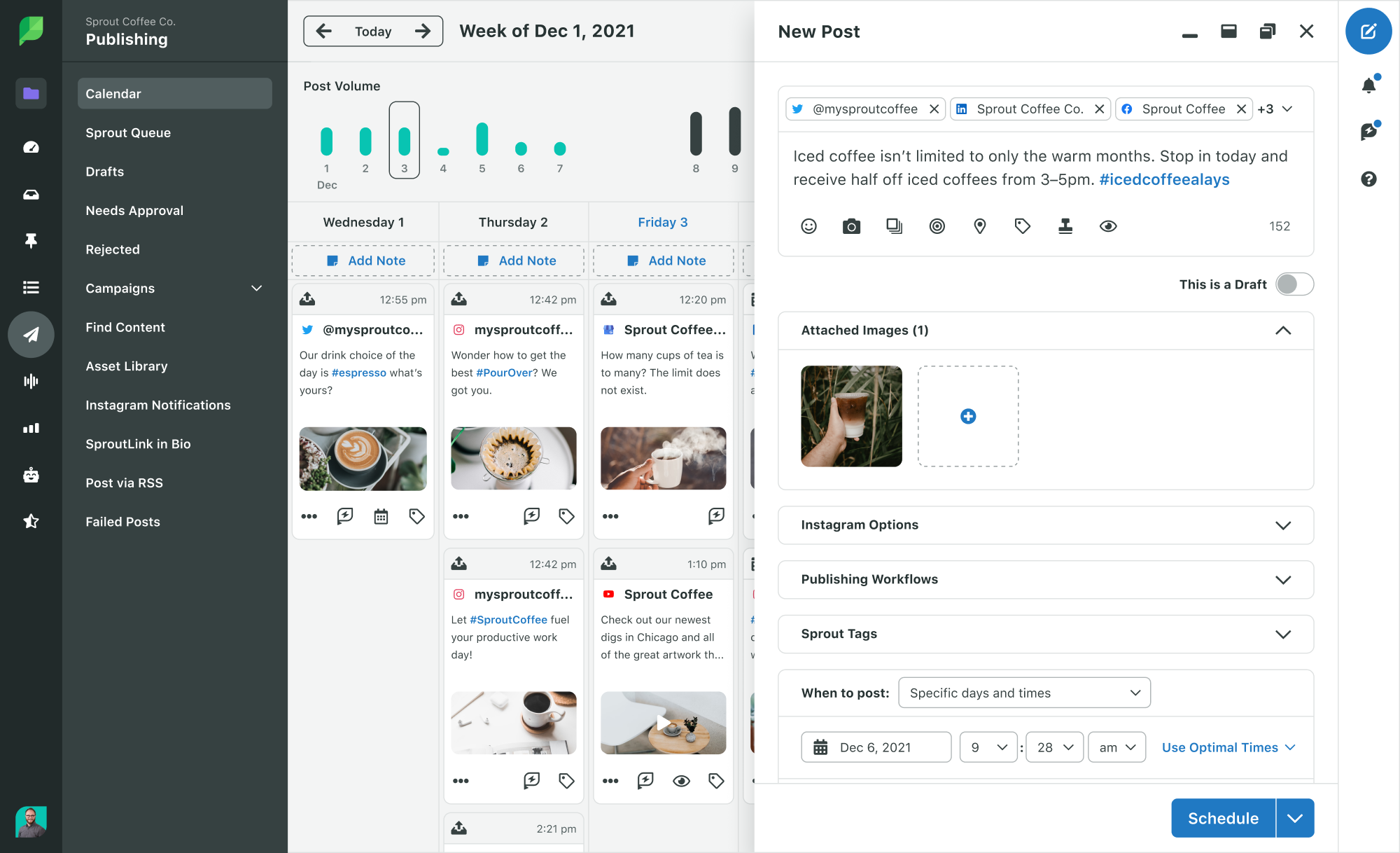
A unified calendar and draft review process in Sprout is as easy as a click of a button. With the publishing calendar, you’ll be able to easily see what’s scheduled among all of your accounts. If approvals are needed for some Tweets, then select it when you’re composing it.
When a Tweet comes in that asks about your product, which account and which team member should answer it? For some teams, someone is directly responsible for sifting through incoming messages and assigning them to team members. Then these team members are able to focus on crafting messages to customers instead of wading through noise.
Set individual goals & metrics
As mentioned earlier, having different Twitter accounts mean that you have different focuses. One account might want to increase brand awareness while another is more interested in increasing engagement with its current community members. Approach each new account like you’re approaching your overall marketing strategy and set up meaningful, measurable social media goals.
Can you win your league without taking a running back in the first two rounds? 🤔 https://t.co/loMctce738
In the above example, ESPN and ESPN Fantasy Sports are very different. While they share the same brand, ESPN Fantasy Sports is far more interested in fantasy sports and creating a community around it than ESPN is. These different focuses require different metrics to measure their successes.
Analyze multiple Twitter accounts effectively
With goals set, the final step of the management strategy is to make sure these goals are getting reached. For the C-suite, you’ll want to have a birds-eye view of your entire brand. How has the brand been performing as a whole? Are there trends this month that weren’t there last month?
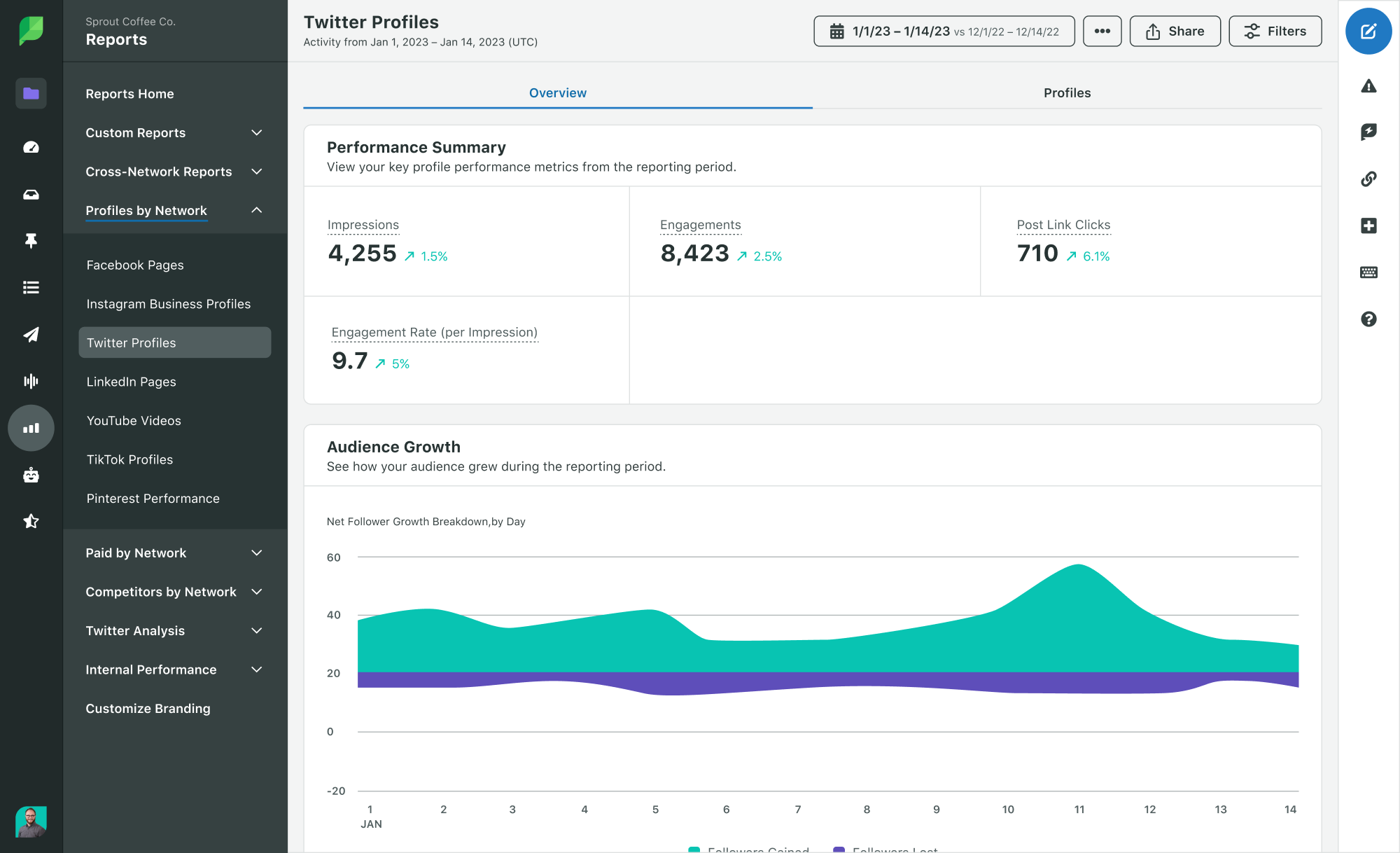
The Sprout Profile report allows you to check off all your accounts in one report. The presentation-ready imagery mean you spend less time creating a spreadsheet and inputting data manually, or trying to translate that data into the ideal visualization.
Seeing all your accounts together is nice, but even nicer is how narrowly you can focus in on your Twitter analytics. A single account report gives you details on what’s trending with your specific account. These details might not surface in your group report and they’re important to seeing how your strategy has performed.
Convinced that you need to set up a new Twitter account? Let Sprout Social guide you through the process with a demo.
Want to add an email signup link to your Instagram stories? Wondering how to access the swipe-up feature, even without having 10K followers? In this article, you’ll discover how to reach, warm up, and convert new leads into becoming email subscribers via Instagram Stories. #1: Leverage Your Followers and Tag Other Accounts to Reach a […]
Wondering how to use Instagram for sales? Looking for ways to promote your products without using ads? To explore how to use Instagram as an organic sales funnel, I interview Elise Darma on the Social Media Marketing Podcast. Elise is an Instagram marketing expert who specializes in helping business owners scale with Instagram. Her courses […]
If there’s one thing that’s true, it’s that social marketers know how to roll with the punches. Given how many curveballs 2020 has thrown at us so far, it’s more important than ever before for marketers to maintain their agility and adaptability.
The COVID-19 crisis has certainly put social marketer’s flexibility to the test. Faced with a global crisis, social marketers have had to rethink their entire strategies and even scrap whole campaigns that no longer feel relevant. And without a playbook with clear next steps on what to do in a pandemic, social marketers are turning to their peers for guidance in a time where few people have all the answers. We asked our community what questions they have and what resources they need to navigate COVID-19, and the responses span everything from how to stay motivated to figuring out the right tone to take with social posts.
Just trying to shift focus on different content to post. Cancelled all campaigns promoting services for the time being, but social has me thrown. Moving to live home tours since open houses are cancelled, but then my brain just stops there. 😕
Just trying to keep with all the questions and concerns coming in. Staying motivated. Figuring out how to keep students engaged on social once this calms down but we’re still all remote…
In addition to learning from other social marketers and brands, there’s another team social marketers can turn to for advice on navigating the COVID-19 crisis: internal communications. Internal communicators have a bird’s-eye view of everything going on across your organization and are responsible for keeping employees informed of company news. As social teams continue to refine and adjust their social strategies during COVID-19, consider borrowing the following lessons from the internal communications team.
Create one central source of truth
The problem with a crisis of this scale is it can easily lead to the spread of misinformation, creating confusion for everyone including your team and your audience. For social marketers, it can be difficult to know where to share pandemic-related information and how to consolidate questions and feedback from your audience.
One way internal communicators mitigate misinformation is by creating a singular source of truth, or designating a central location where information is regularly updated. At Sprout, for example, our team created a dedicated Wiki page for the COVID-19 crisis, containing information on office availability, remote work policies and health resources for employees. We also have a central location where employees can submit questions and concerns they have about all things related to COVID-19.
Similarly, social teams should consider using platforms like Twitter to post frequent updates relevant to your audience. Some brands are pinning Tweets with crucial COVID-19 information, which have since been replaced with the brand’s Black Lives Matter statements. If you’re a retail business, you may want to use Twitter to share information regarding store hours and what steps you’re taking to ensure everyone’s health and safety. Additionally, with so many unknowns surrounding states’ reopening plans, consider asking your followers to thread any questions they have so you can easily find and respond to their concerns.
Do:
Determine where you will share timely updates about your business and solicit feedback from your audience.
Direct your audience to other published materials (e.g. your website or blog) that are being continuously updated by your team.
Don’t:
Assume everyone has the same level of awareness of COVID-19 and up-to-date news about your region’s reopening plans.
Stay silent about what steps you are taking to ensure the health and wellbeing of your employees as states begin relaxing restrictions.
Be flexible and open to change
One of the biggest challenges every team experienced during the beginning of the pandemic was centered around pace and precedent. Given how quickly information around COVID-19 was evolving, social teams had little time to prepare and adjust their strategies accordingly. Under these circumstances, marketers may find themselves having to create social content in real-time.
To accommodate an evolving situation, social teams should consider following in the footsteps of internal communicators and put together a rapid response team. Comprising stakeholders across the organization, the response team is willing and able to drop what they are doing to help timely, external messages. They can support social teams in gathering the latest crisis information and can support content creation so the burden doesn’t fall solely on marketers.
In addition to establishing a weekly meeting to touch base on recent developments, consider setting up a private Slack channel so response team members can share timely updates and collaborate on social messages as needed. Social listening can also help response teams stay on top of rising trends in the COVID-19 conversation and inform the direction of their messaging.
Do:
Be ready to scrap your original messaging as new information about the crisis emerges at the local and national level.
Ask for help when it comes to curating and creating timely content as the situation continues to unfold.
Don’t:
Feel pressured to comment on every COVID-19 update in real-time, as this is a quick way to overwhelm yourself and your team, and can lead to burnout. Prioritize information that matters most to your audience and keep an eye on trends that are starting to gain traction.
Admit what you don’t know
While we joke about “uncertain times” being the phrase of the year, the reality is we are all trying to navigate a situation with no clear roadmap or playbook. None of our previous experiences could have prepared us for COVID-19 and it’s okay to admit we have no idea what we’re doing.
An effective internal communications strategy includes knowing when to admit you don’t have all the answers. Employees would much rather hear from internal communicators that they’re working on finding those solutions than to hear nothing at all. Likewise, social teams should consider incorporating this level of transparency into all of their communications during a crisis. Let your audience know you need time to formulate a brand’s official statement and how you’re approaching the current situation. You’d be surprised at how many people will say they empathize with you and appreciate hearing your vulnerability!
Do:
Acknowledge when you don’t have all the answers and commit to sharing updates as often as you can.
Prioritize transparency and empathy in your communications, and let your audience know what steps you’re taking to find solutions to your immediate challenges.
Don’t:
Wait to have all the answers before saying anything. It can leave your audience feeling ignored or left in the dark.
Go radio silent or assume the crisis will pass unnoticed. It is better to admit you need more time to formulate an in-depth response than to have your followers make assumptions about your next move.
Looking ahead to a post-pandemic world
In a perfect world, social teams could plan out their content calendars months in advance. But if COVID-19 has taught us anything, it’s that even the best laid plans can quickly be disrupted over night.
The pandemic forced marketers to rethink their original strategies, and it’s also challenging them to start thinking about what lies ahead as states begin to reopen. There is no going back to business as usual and marketers are tasked with creating messages that reflect a post-COVID world. And while we all find ourselves in uncharted territory, internal communicators can provide social marketers guidance on how to develop communications strategies under volatile circumstances. Equipped with these lessons from the internal communications team, social marketers will be prepared to deal with the next curveball COVID-19 throws their way.